
How to close the cash register.
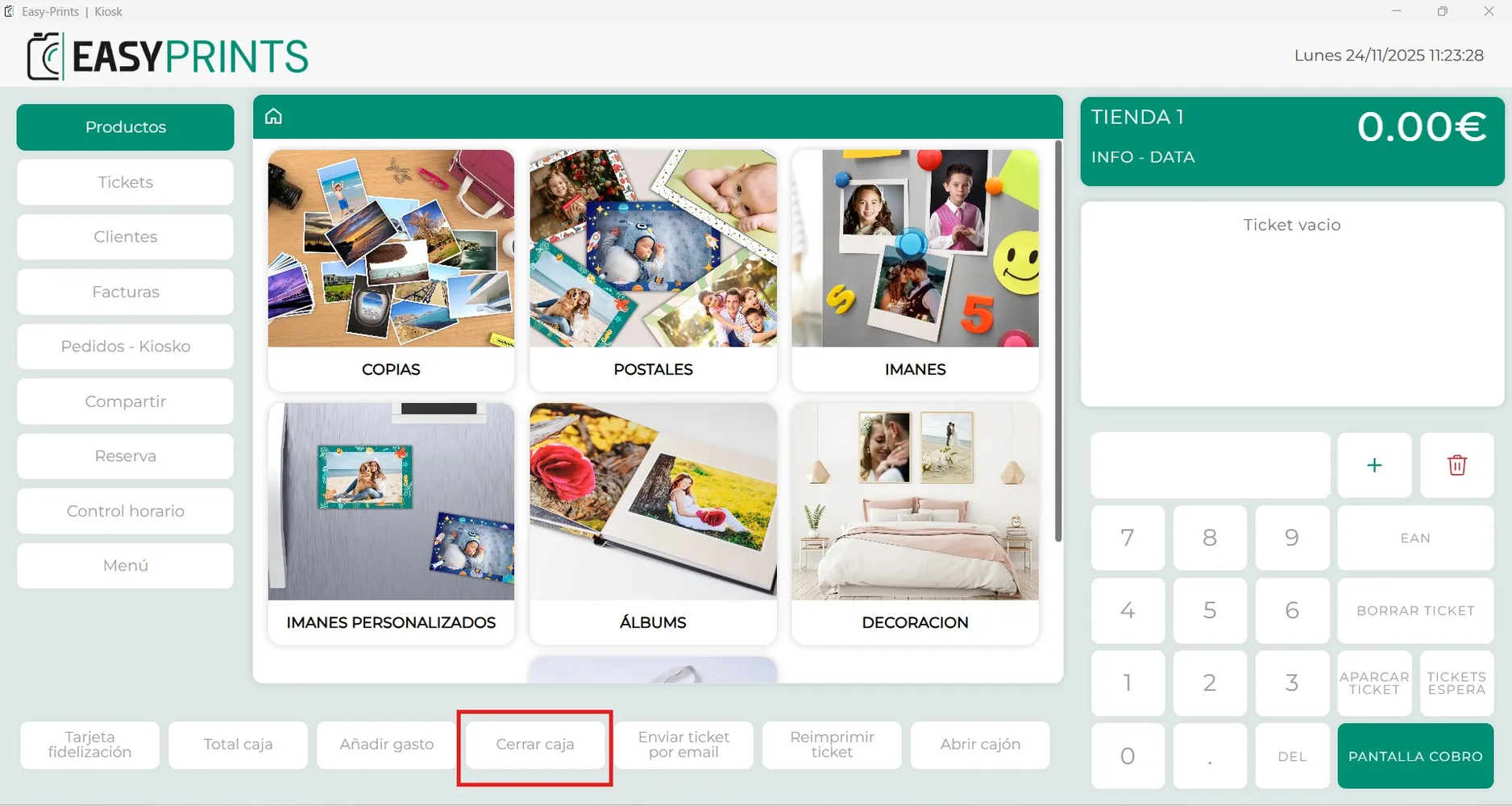
In the bottom panel of the POS, you will find the cash-closing button, as shown in the image. A window will open asking if you want to perform the daily cl…
Step 1
In the bottom panel of the POS, you will find the cash-closing button, as shown in the image.
Step 2
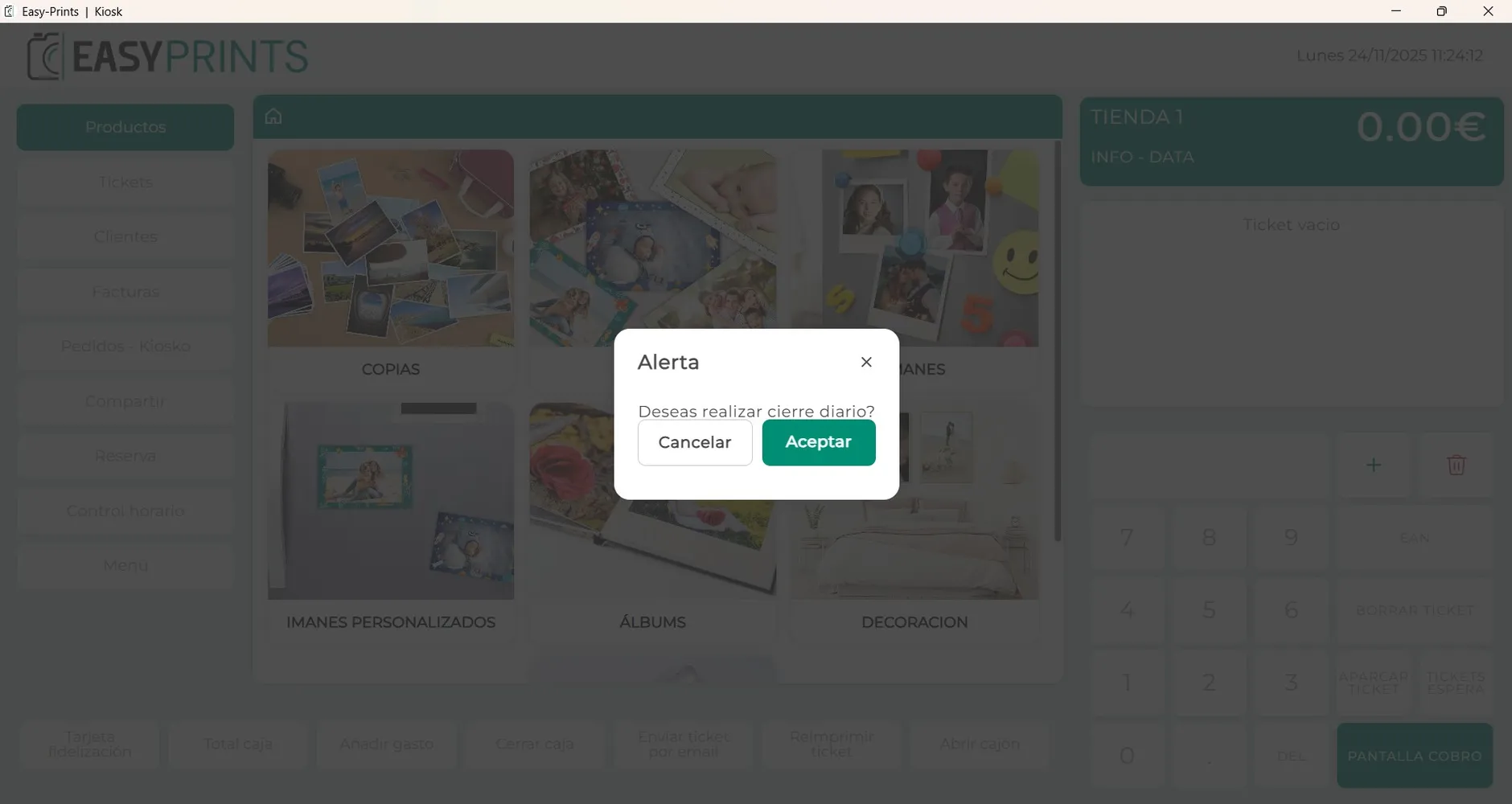
A window will open asking if you want to perform the daily closing. Simply press the green “Accept” button.
Step 3
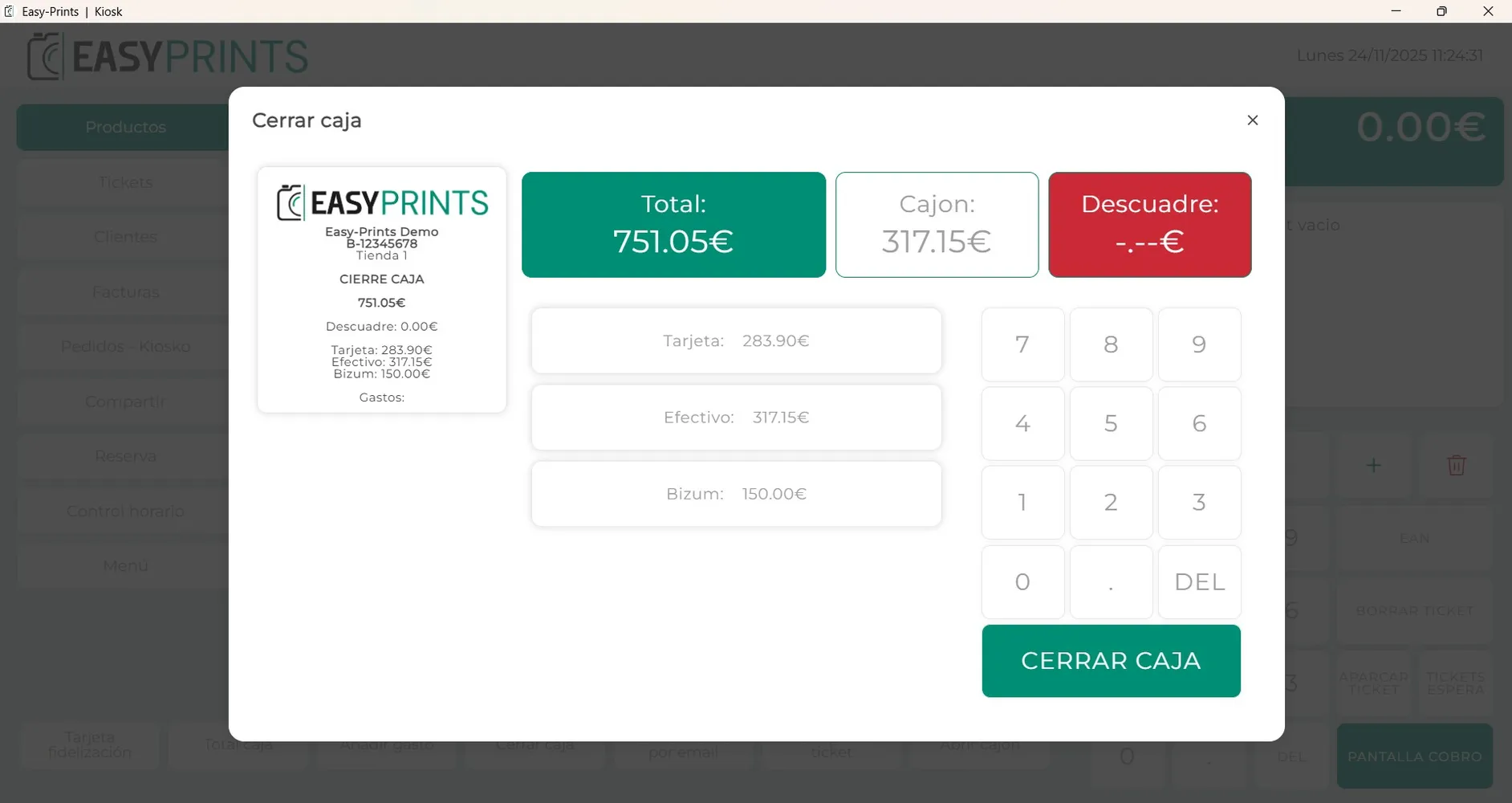
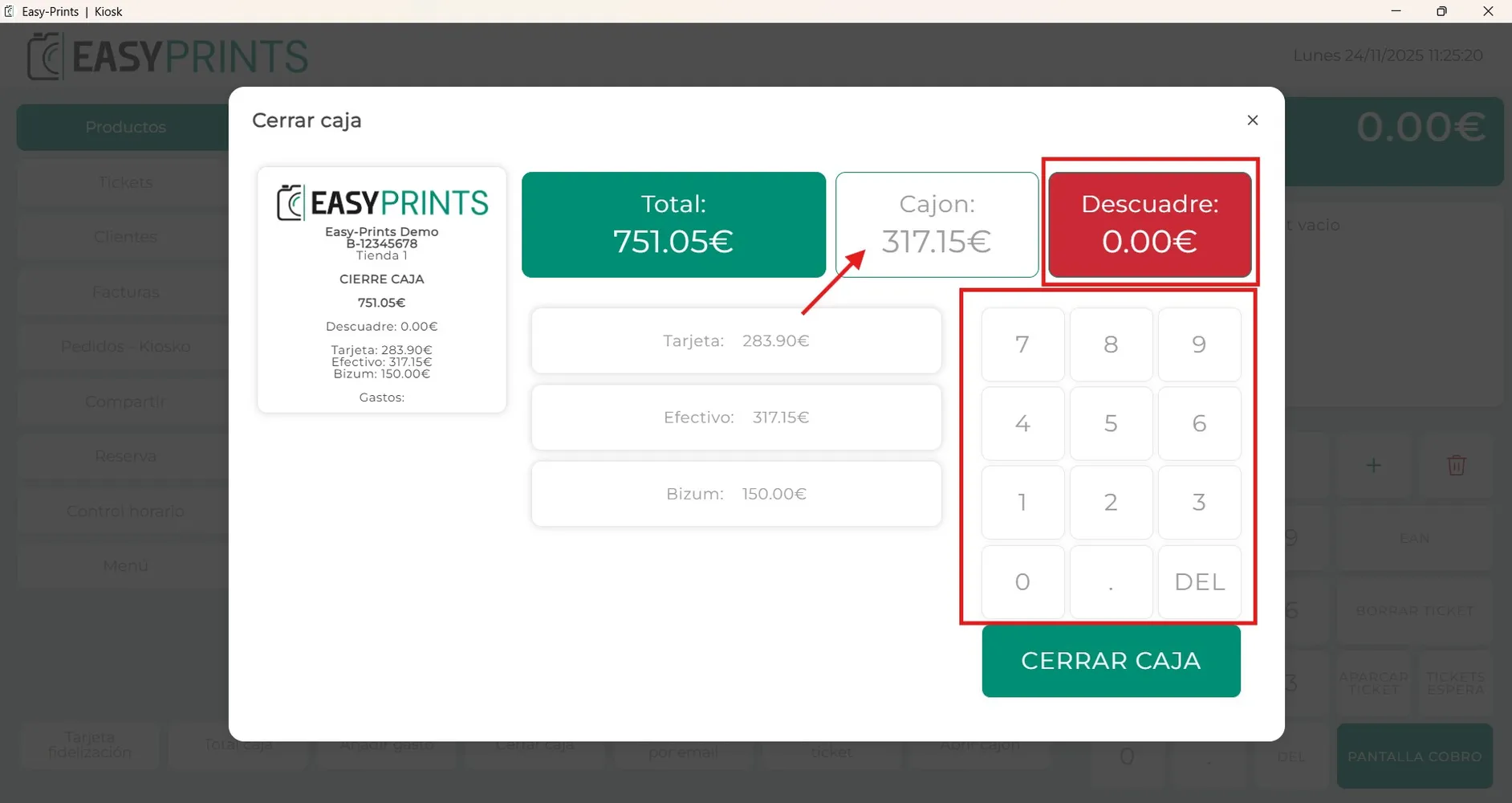
When you click “Accept”, a new window will open showing the day’s total, the amount that should be in the cash register, any discrepancy, and the total for each payment method.
Step 4
To enter the total amount of money in the cash register and check the daily discrepancy, you must enter the amount in the drawer using the numeric keypad displayed on the screen. Once the amount is entered, the red discrepancy box will indicate whether there is a difference or not.
Step 5
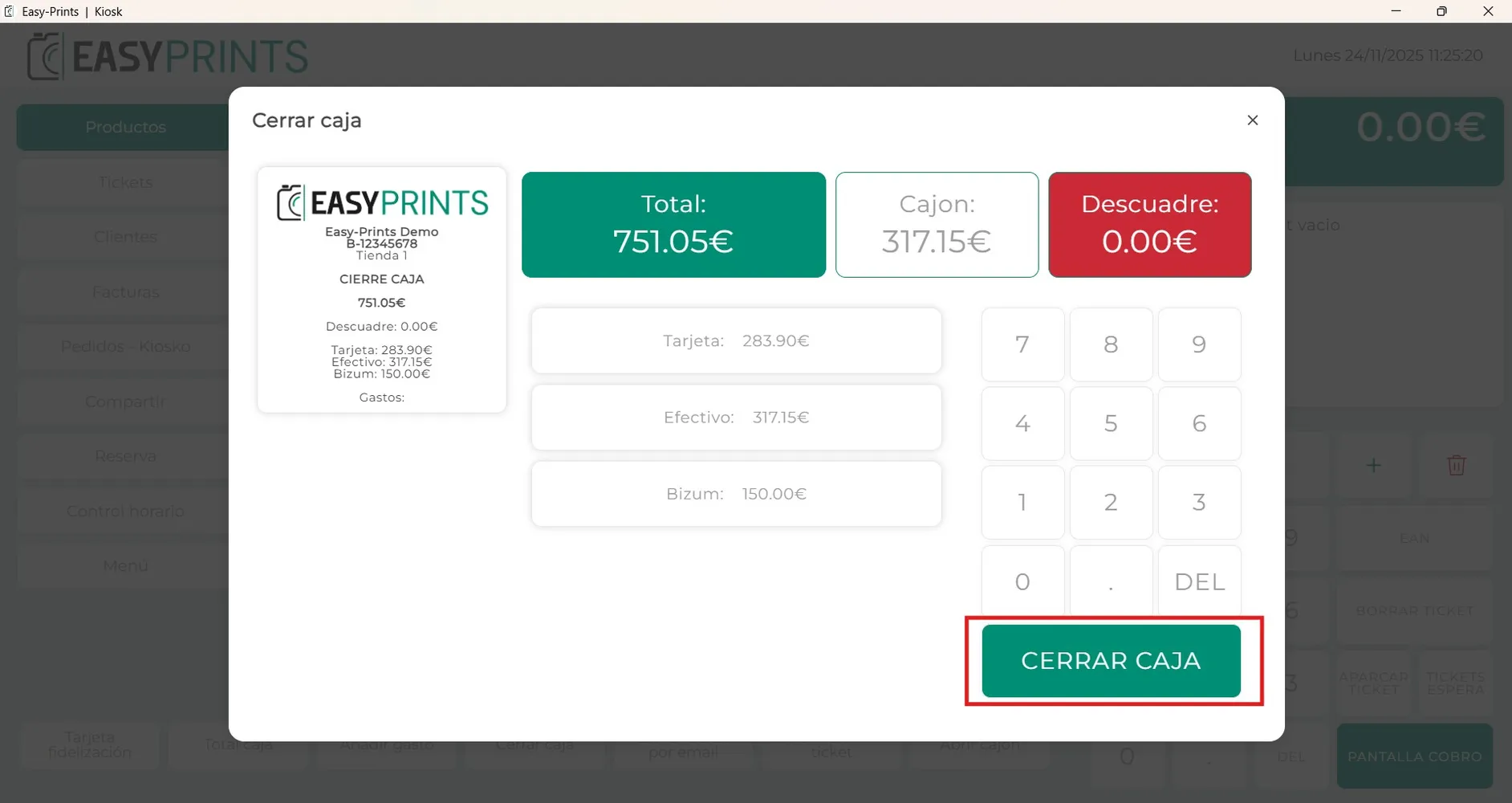
To complete the cash closing, you must click the green “Close cash register” button located at the bottom right of the window, as shown in the image.
Step 6
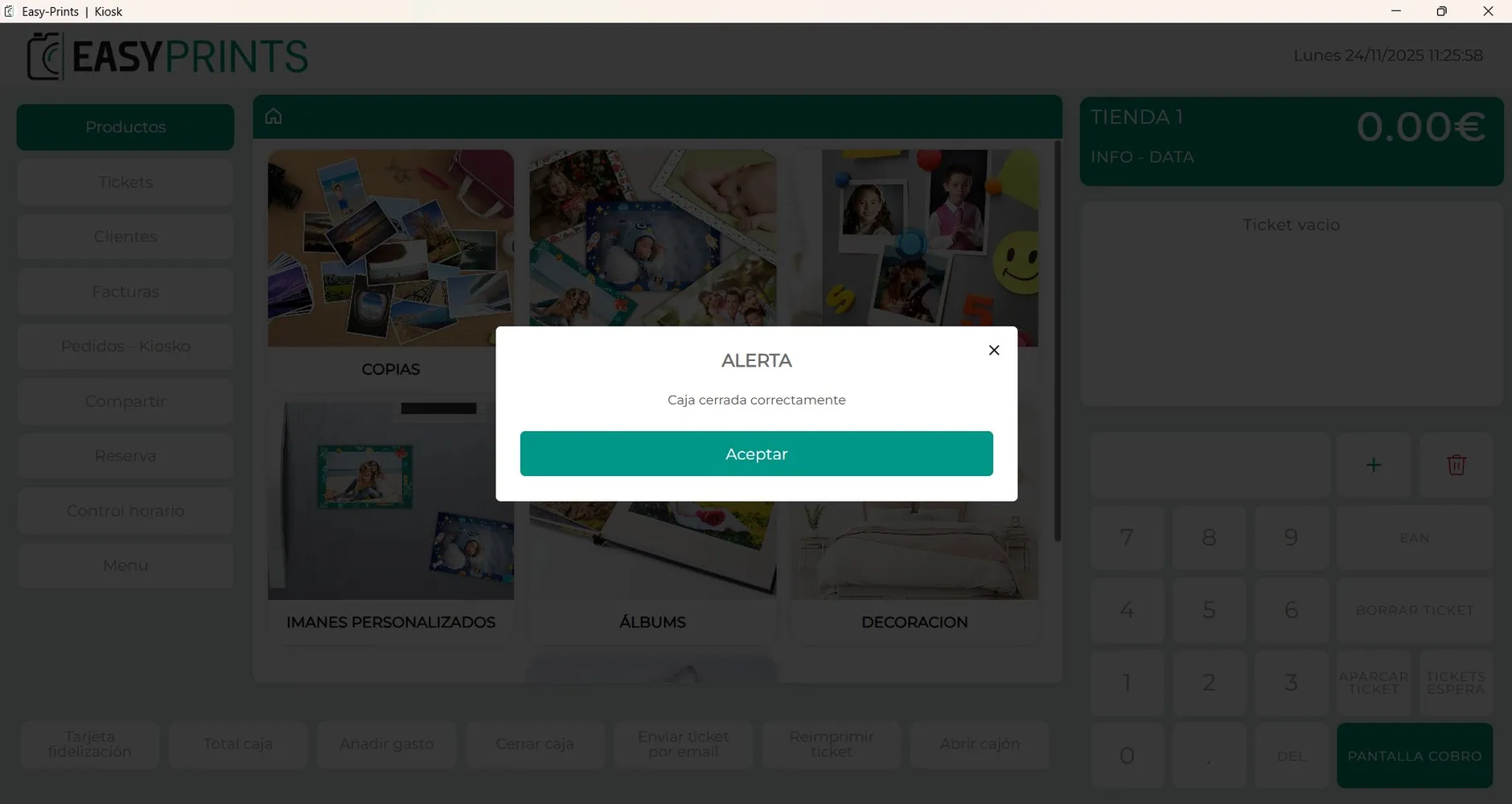
Finally, a message will appear indicating whether the daily cash closing has been completed successfully.
Go back to the Help Center or contact Easy-Prints.
← Back to Help Center