
Stores · Lab · Kiosk · POS · ERP / Management
How to activate express orders with surcharge
To activate express orders from Admin 2, go to the Settings section, located at the top right, right next to the language button. In the Orders section, ac…
1
Step 1
Step 1
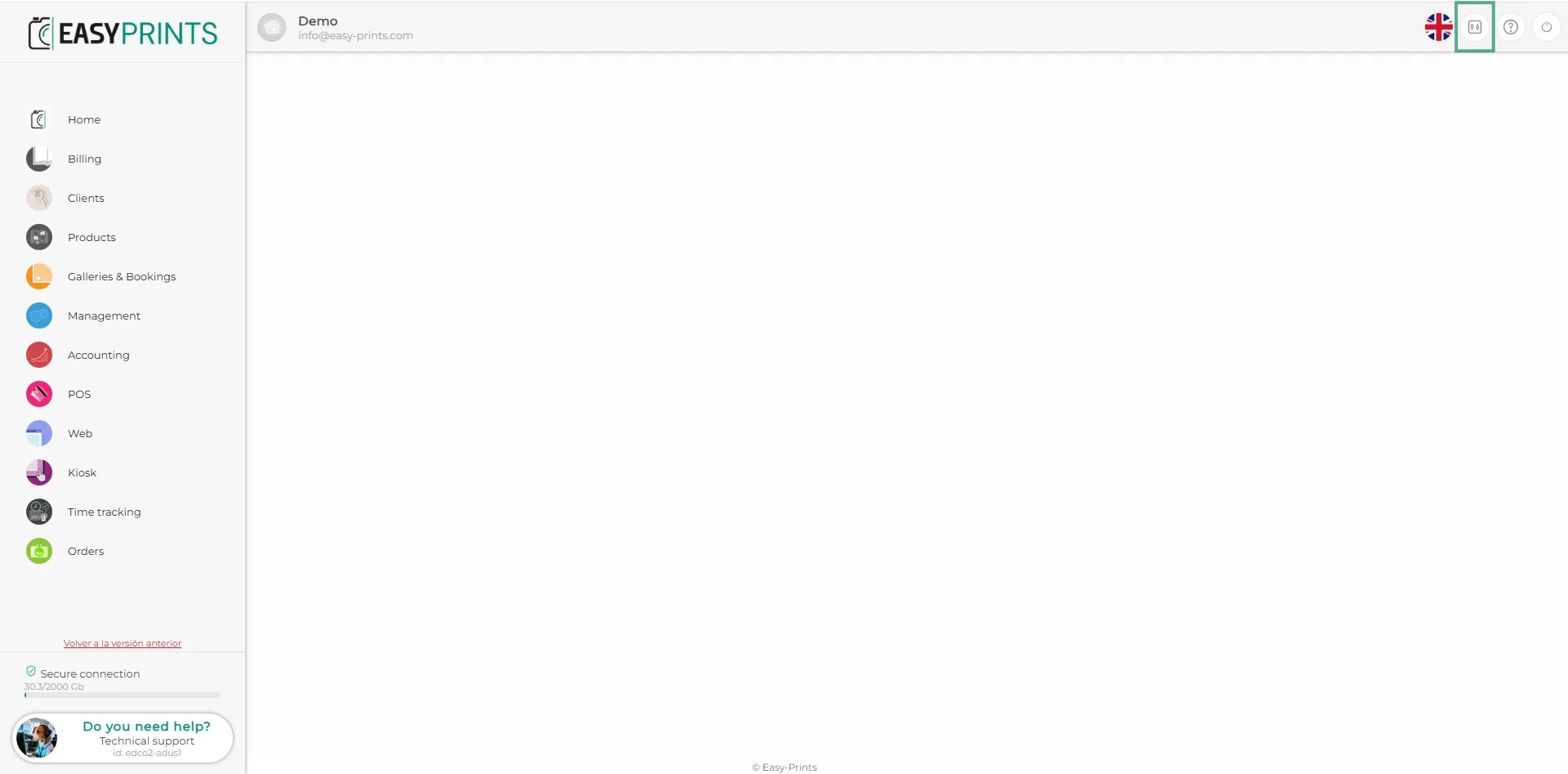
To activate express orders from Admin 2, go to the Settings section, located at the top right, right next to the language button.
2
Step 2
Step 2
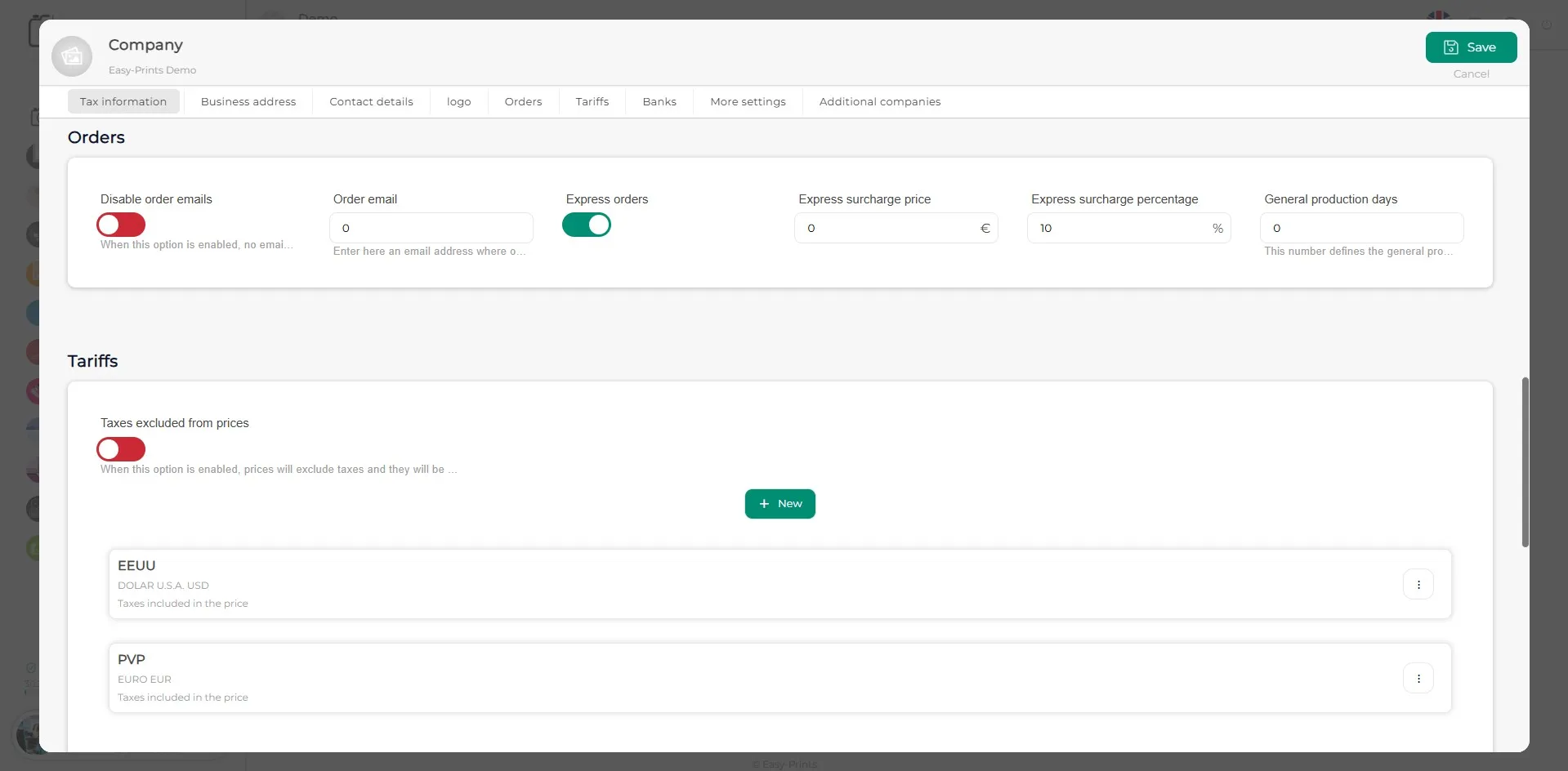
In the Orders section, activate the Express orders option. Once activated, you can enter a fixed surcharge or apply a percentage to the total order amount. Once you have filled in these details, make sure to save the changes by clicking the green Save button, located at the top right.
Can’t find what you need?
Go back to the Help Center or contact Easy-Prints.
← Back to Help Center