
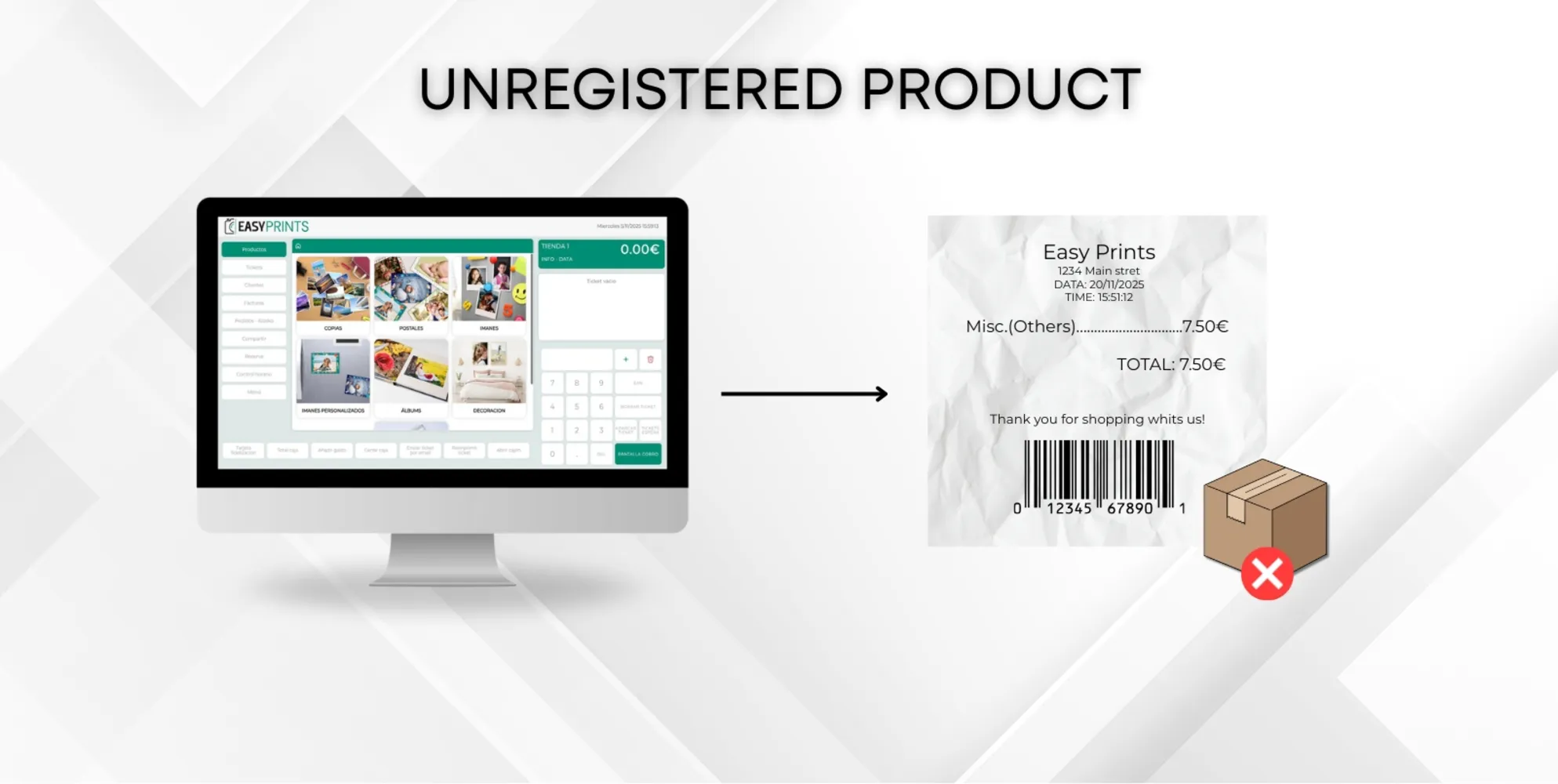
How to charge an unregistered product in the system.
To charge a product that is not registered in the system, go to the area where the numeric keypad is located. There you will see the “+” symbol. Click this…
Step 1
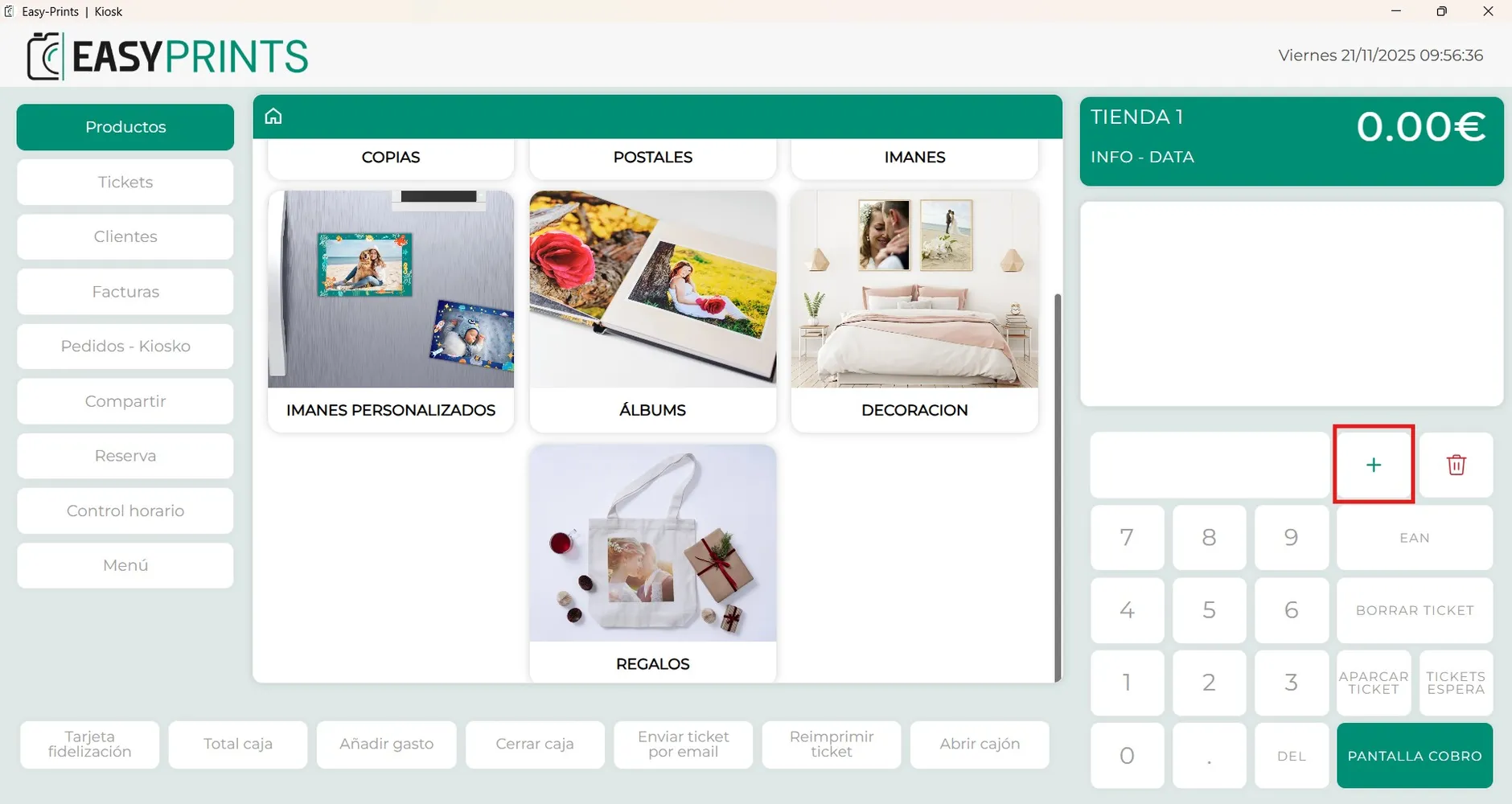
To charge a product that is not registered in the system, go to the area where the numeric keypad is located. There you will see the “+” symbol. Click this button to add a manual product. (The image clearly indicates where this button is located).
Step 2
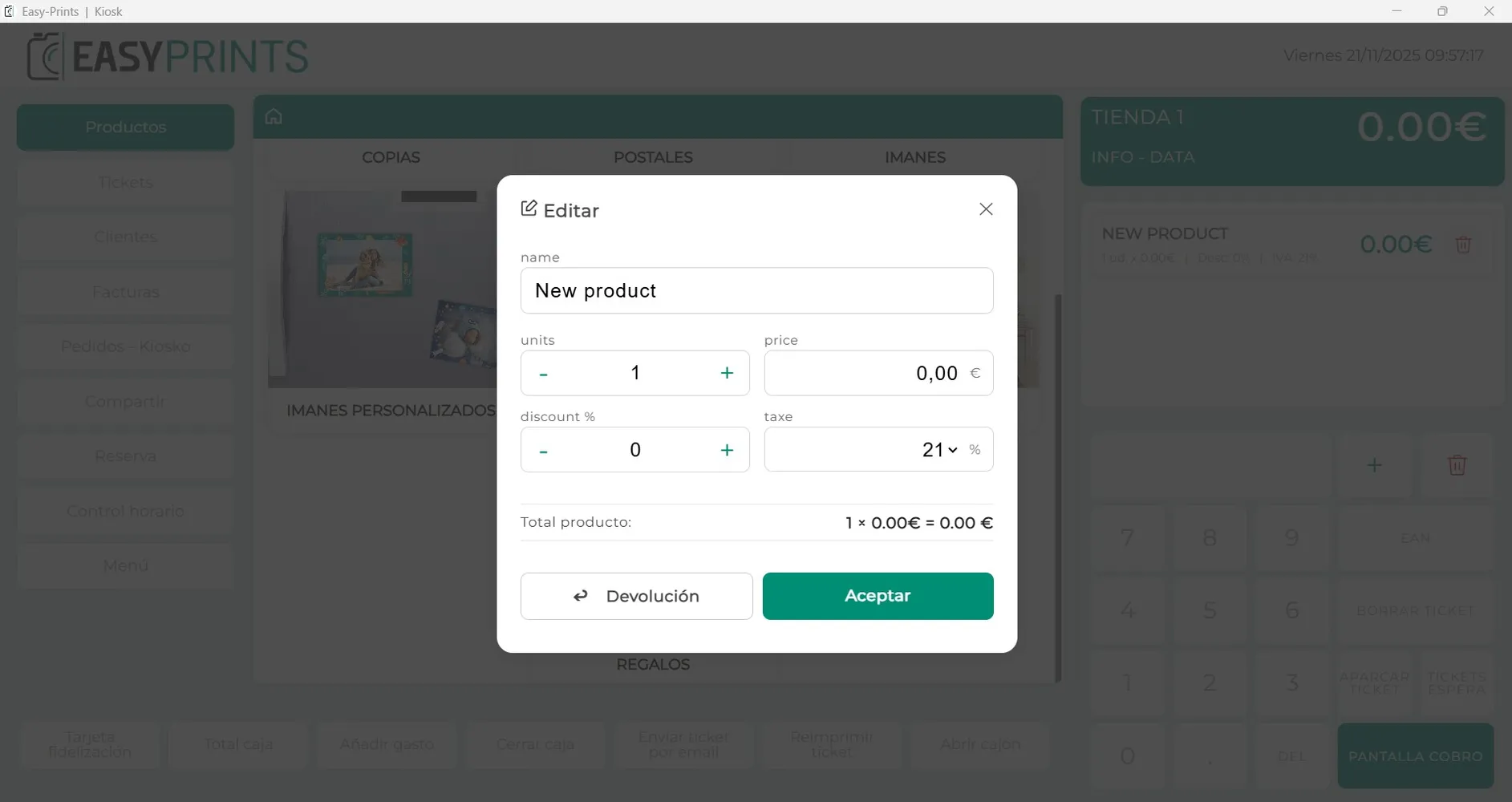
A new window will open. In it, we must enter the product name and its price. Once these fields are completed, we should click “Accept”.
Step 3
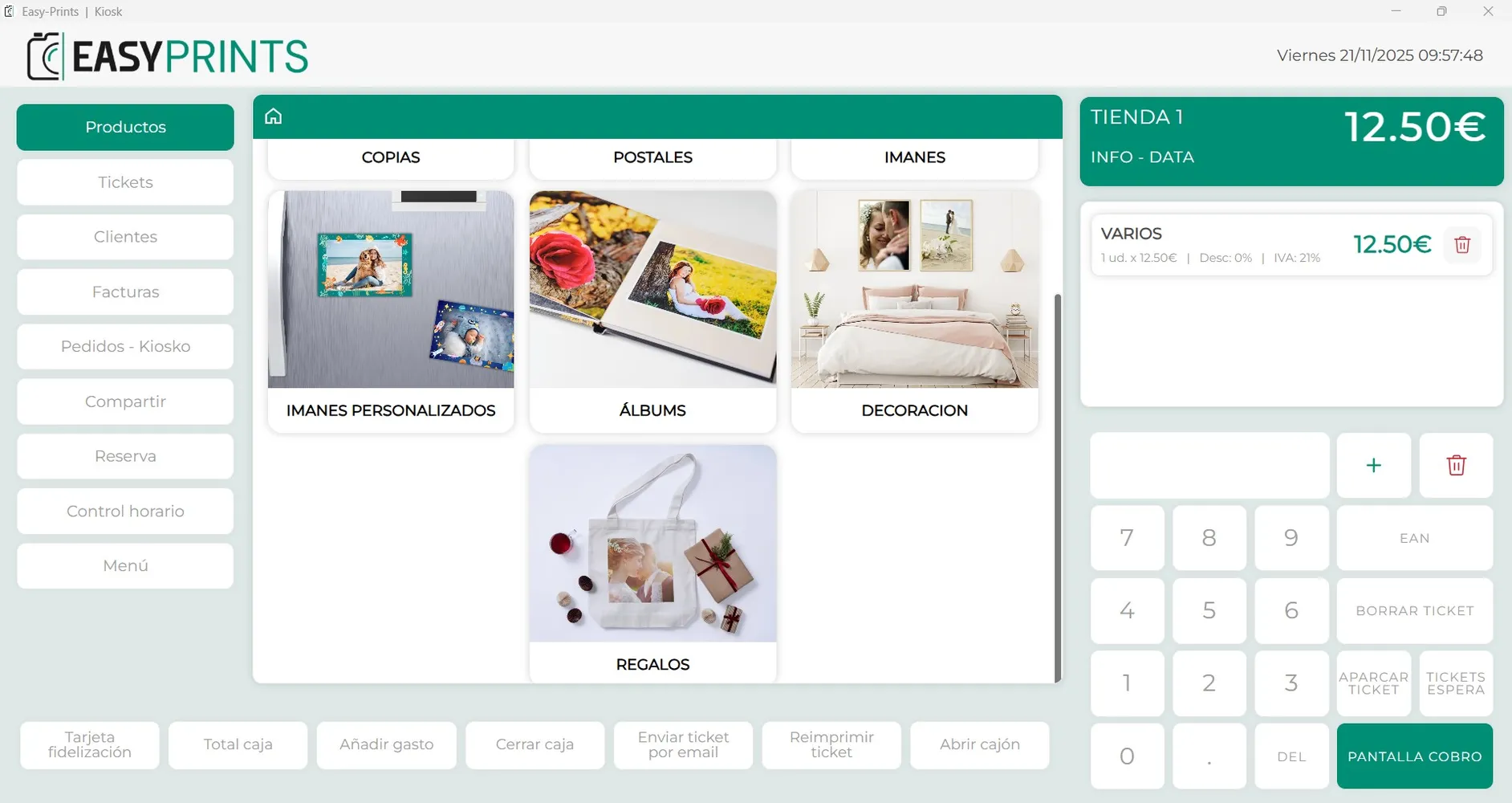
The product will now appear in the ticket area. We will proceed to charge it by clicking on the payment screen button, located at the bottom right.
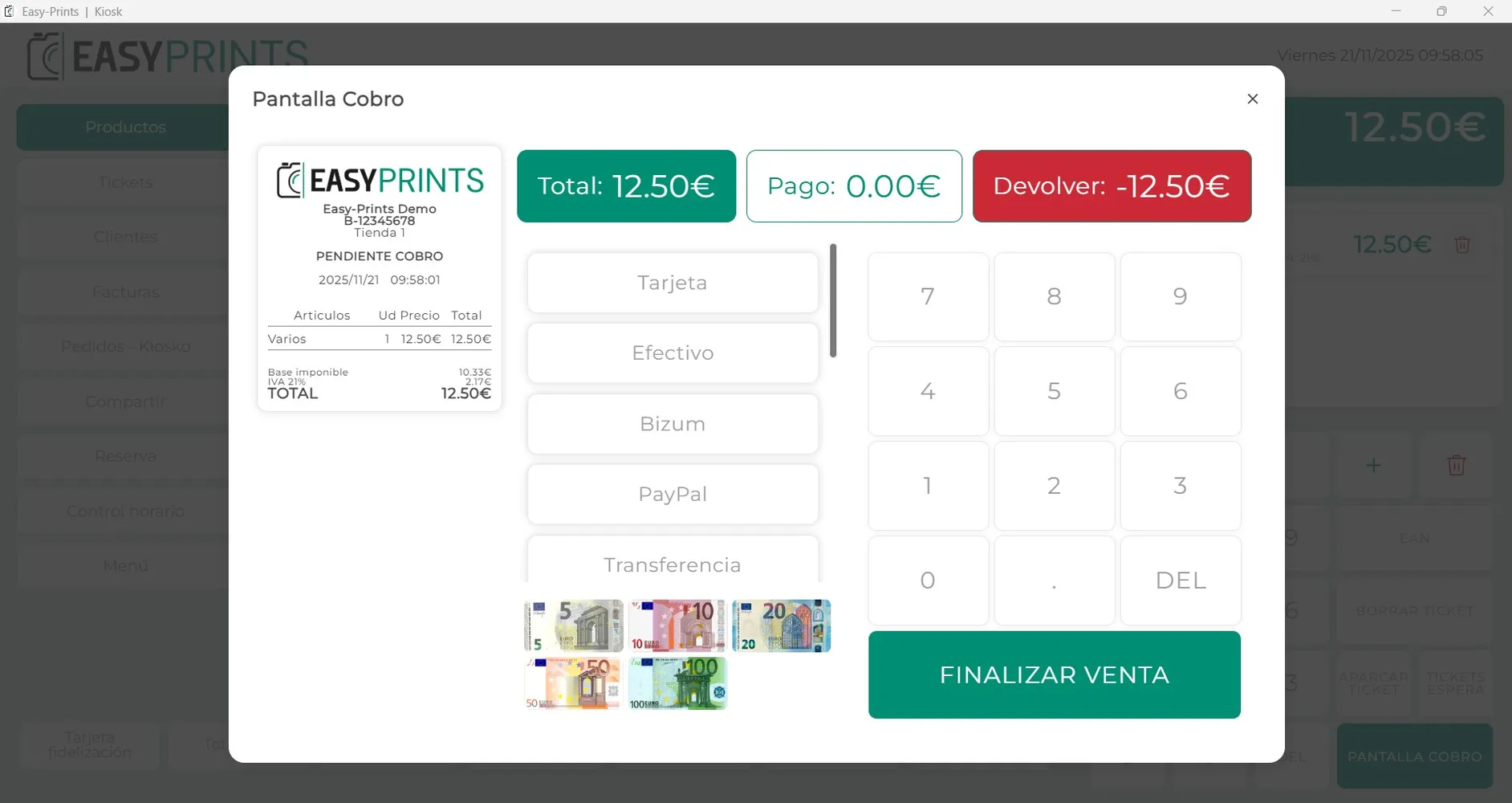
Step 4
On the payment screen, we will proceed to charge the product by selecting the payment method indicated by the customer. Then, we must click the green “Finish Sale” button.
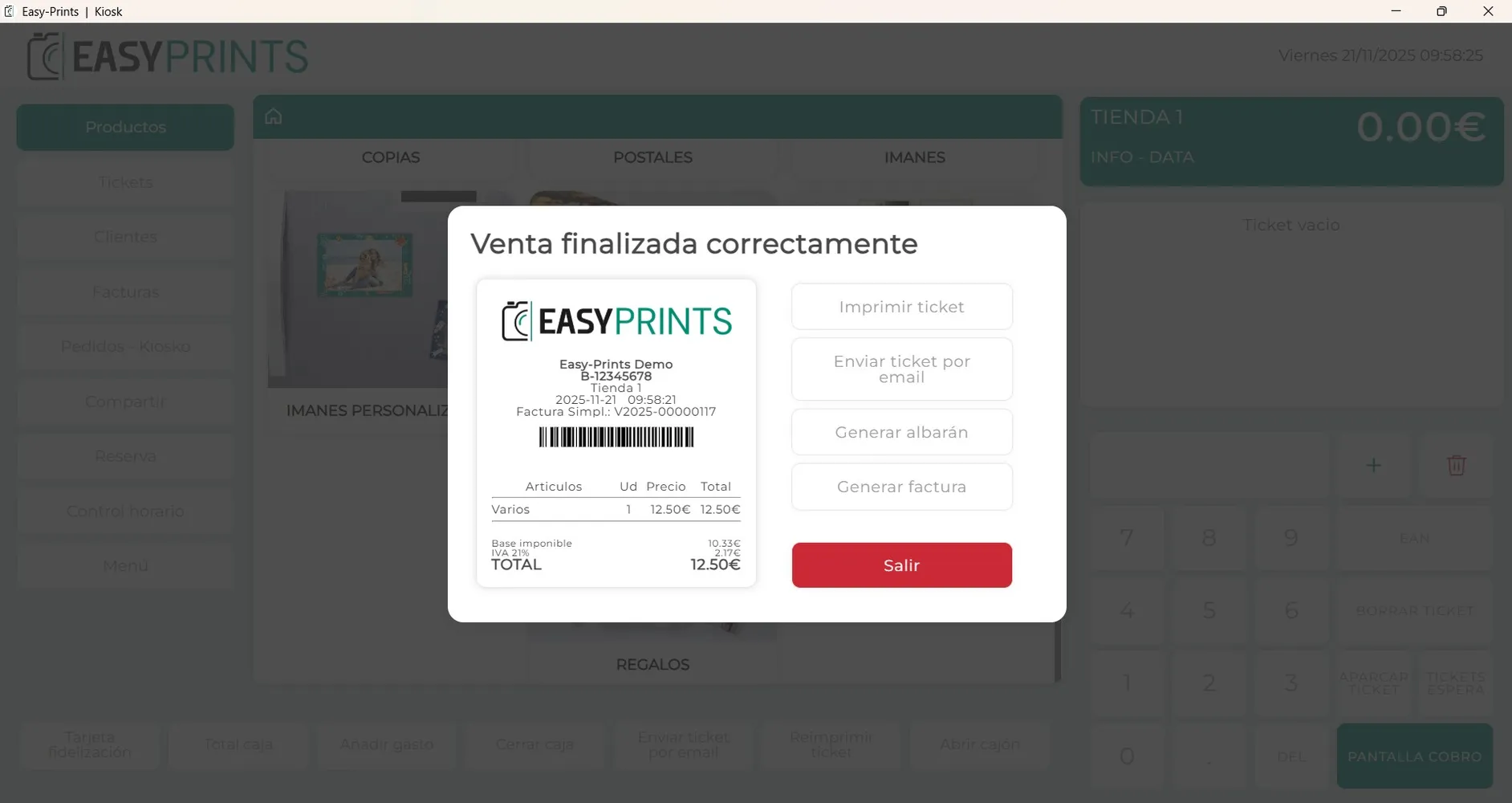
Step 5
To finish, a new window will open where we can view the purchase receipt.
Go back to the Help Center or contact Easy-Prints.
← Back to Help Center