
Add a sales representative
In the left-hand menu, go to the Clients section. Once inside, go to the top bar and click on Sales representatives. Once inside the Sales representatives…

Step 1
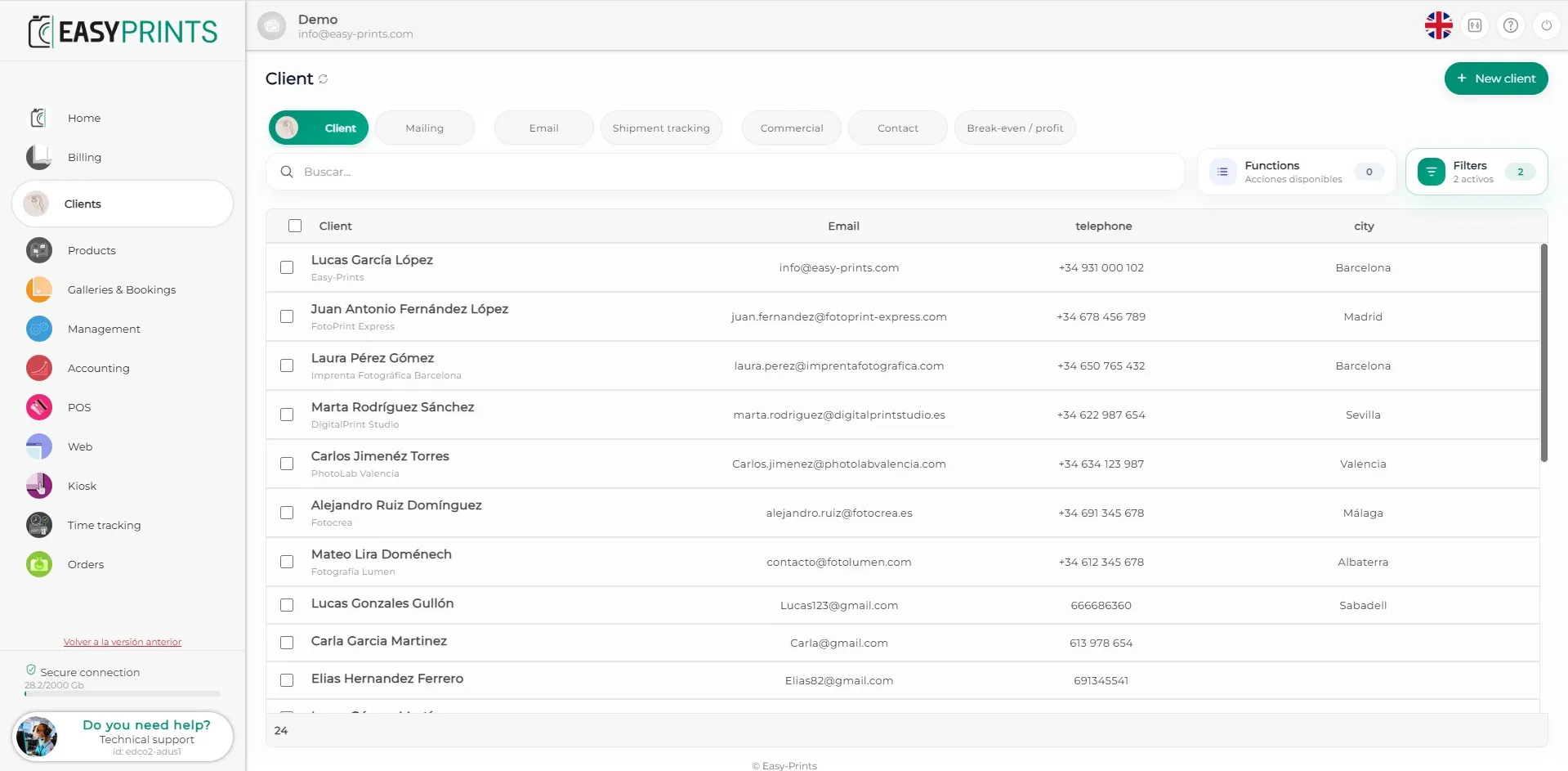
In the left-hand menu, go to the Clients section. Once inside, go to the top bar and click on Sales representatives.
Step 2
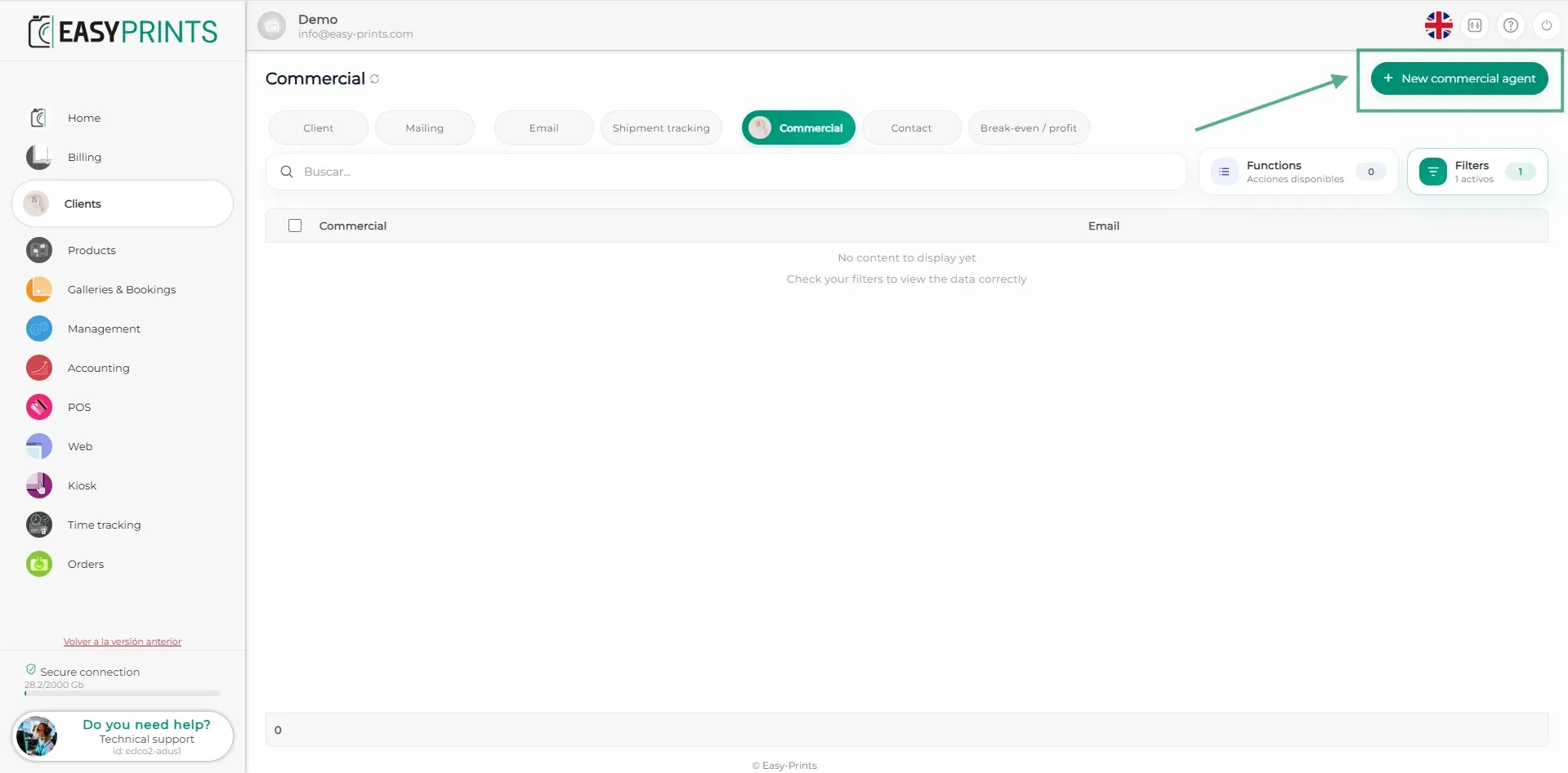
Once inside the Sales representatives section, you will find the green + New commercial agent button in the top-right corner. Click on it to create a new commercial agent.
Step 3
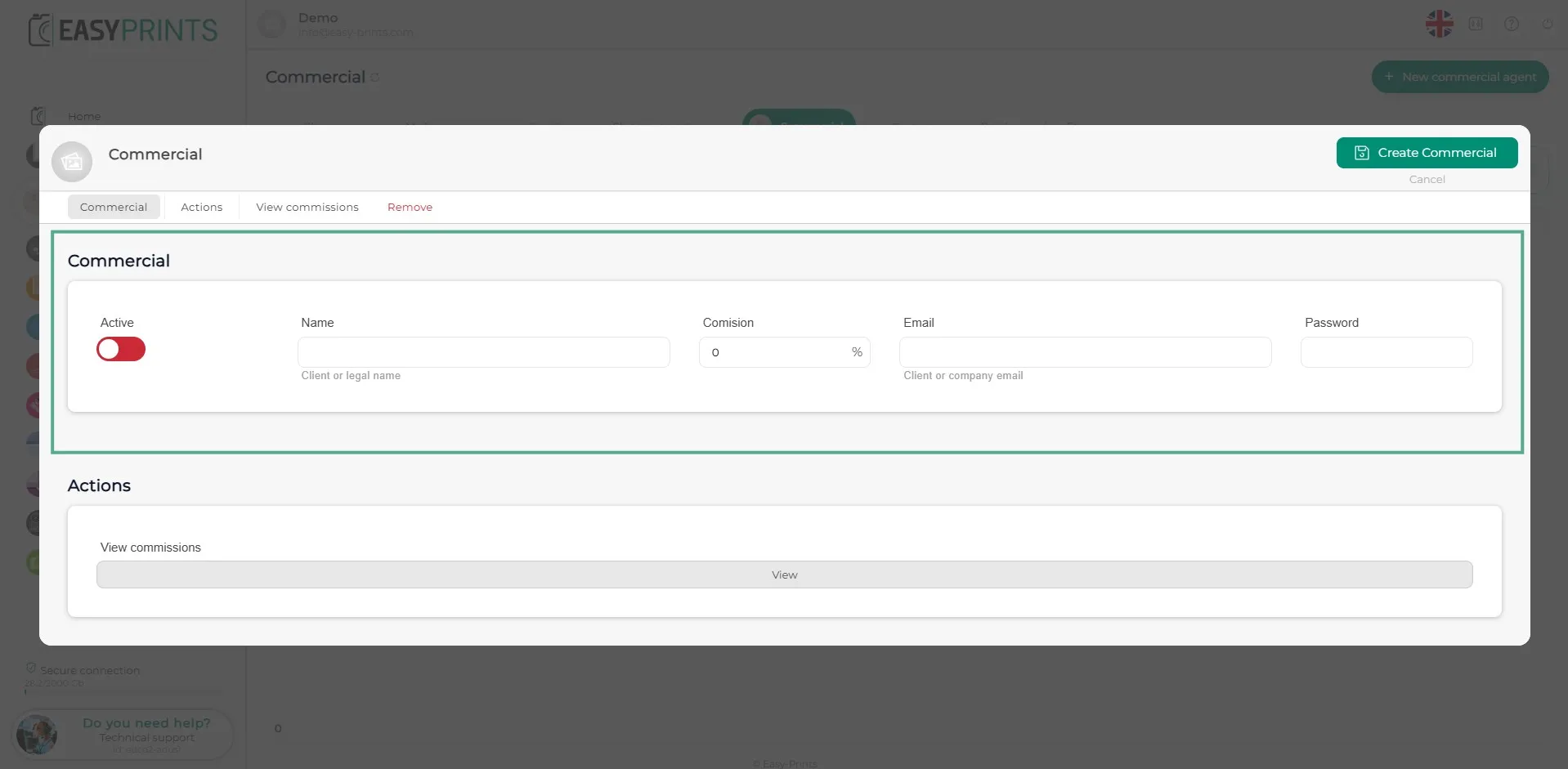
In the new window, complete the blank fields. You must activate the sales representative, assign a name, enter the corresponding commission percentage, add the email address and set a password. When finished, make sure to save the changes by clicking Save sales representative, located in the top-right corner.
Go back to the Help Center or contact Easy-Prints.
← Back to Help Center