
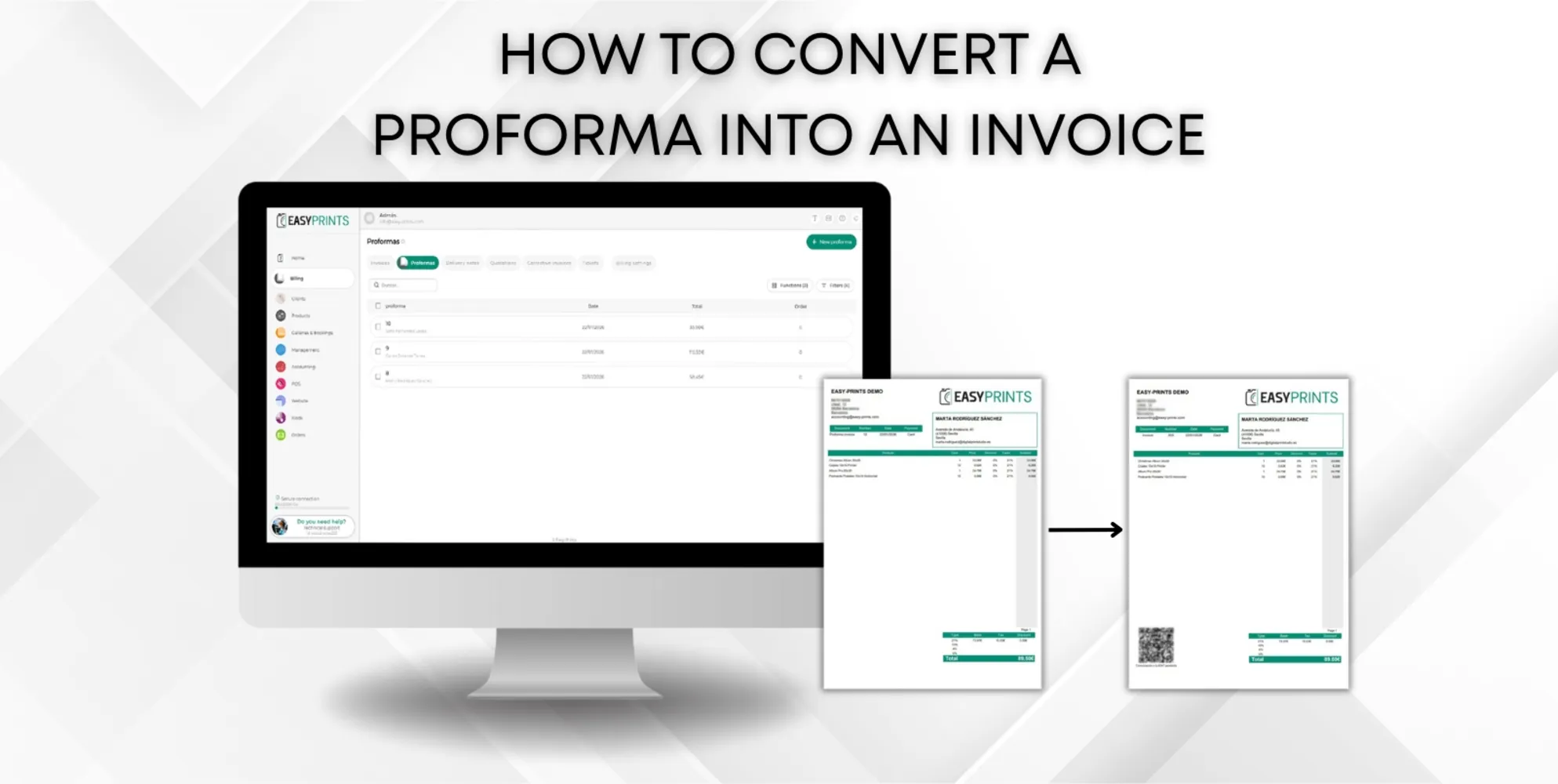
How to convert a proforma into an invoice.
To convert a proforma into an invoice, the first step is to go to the Billing section located in the menu on the left side of the screen. Once there, acces…
Step 1
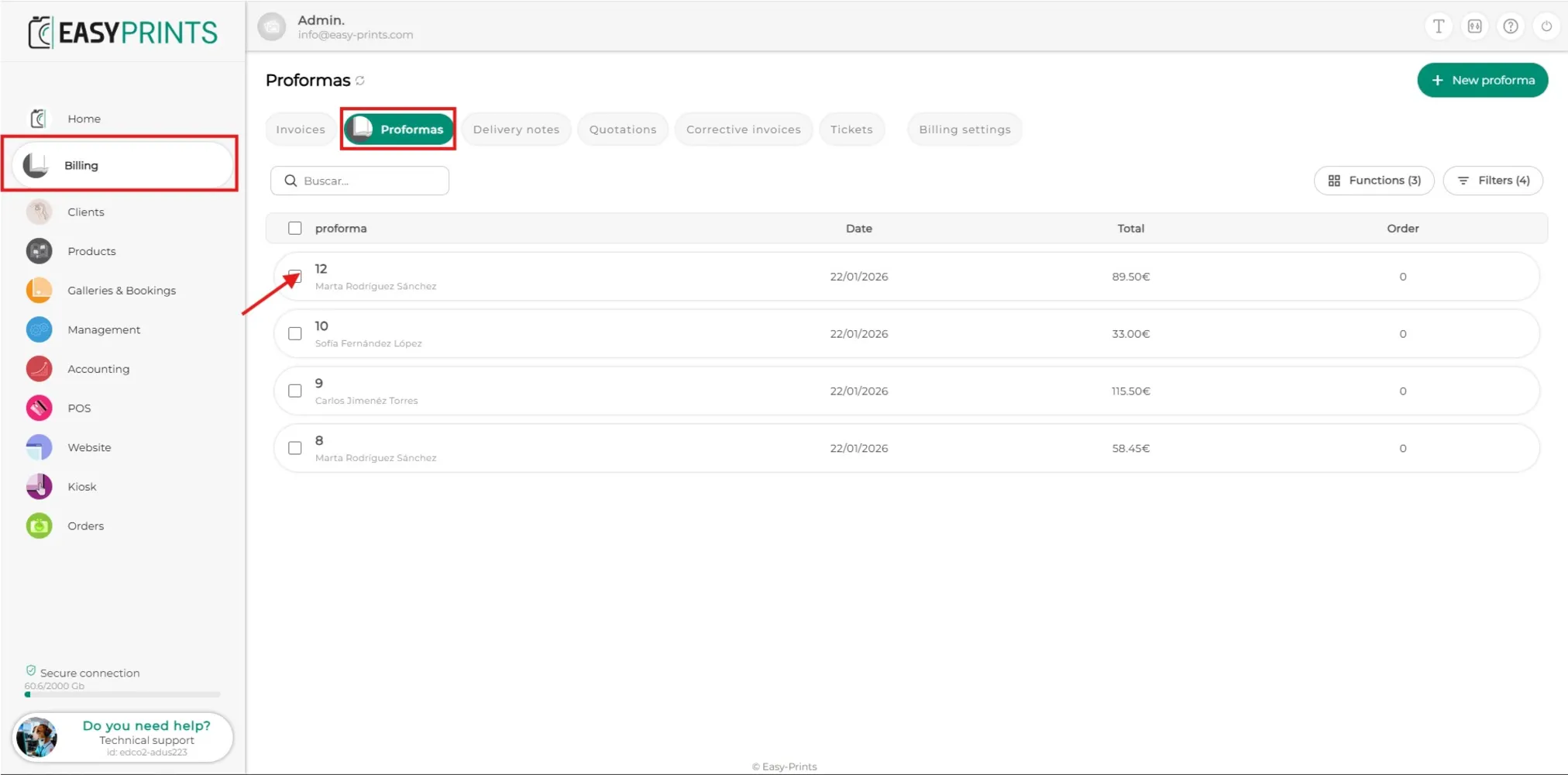
To convert a proforma into an invoice, the first step is to go to the Billing section located in the menu on the left side of the screen. Once there, access the Proformas section, which you will find at the top of the screen, as shown in the image. In the proformas section, you must locate the proforma you want to convert into an invoice and click on it to open it.
Step 2
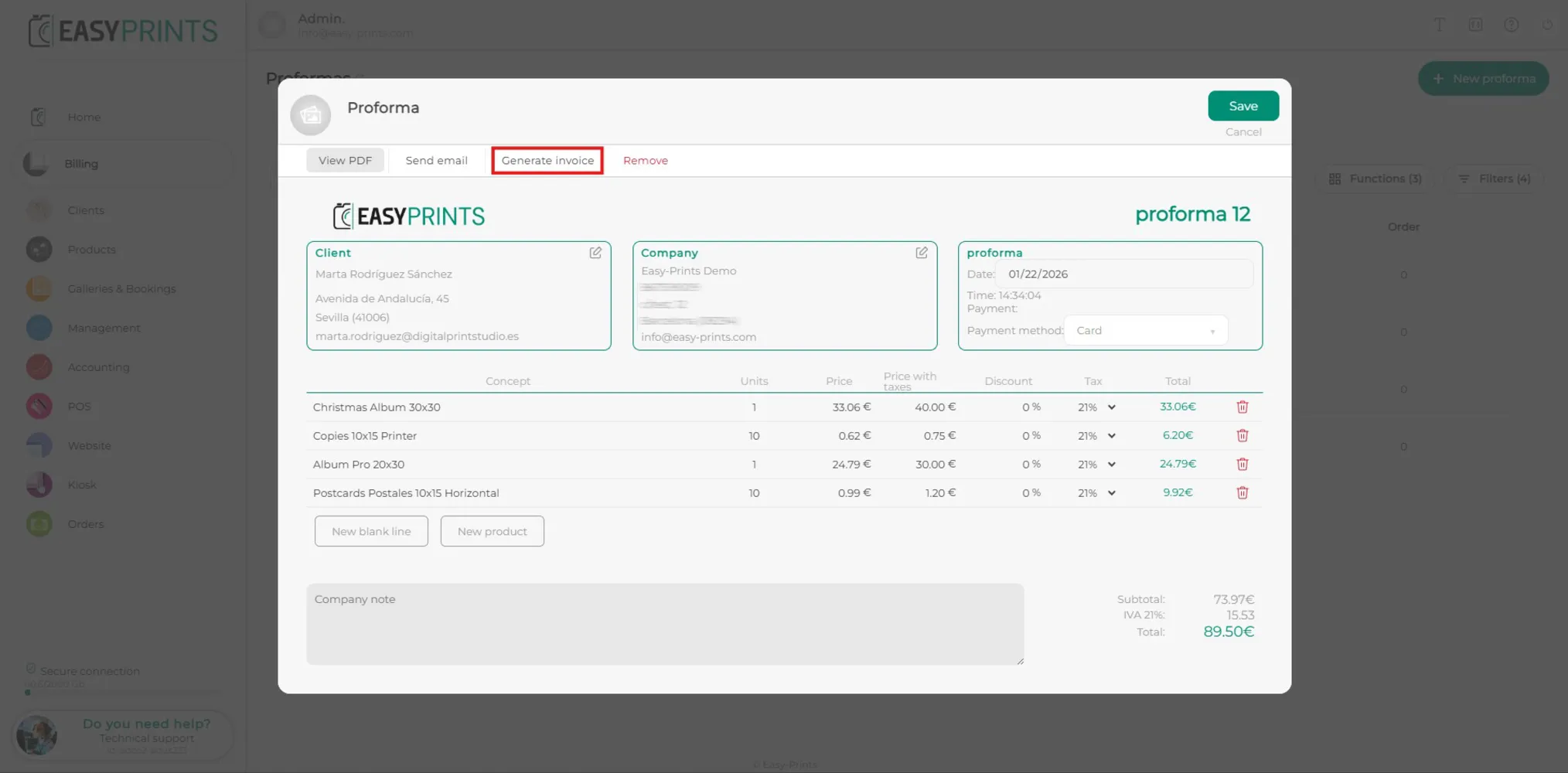
When the proforma window opens, you will find several options at the top, such as View PDF, Send email, Generate invoice, and Remove. Click on Generate invoice.
Step 3
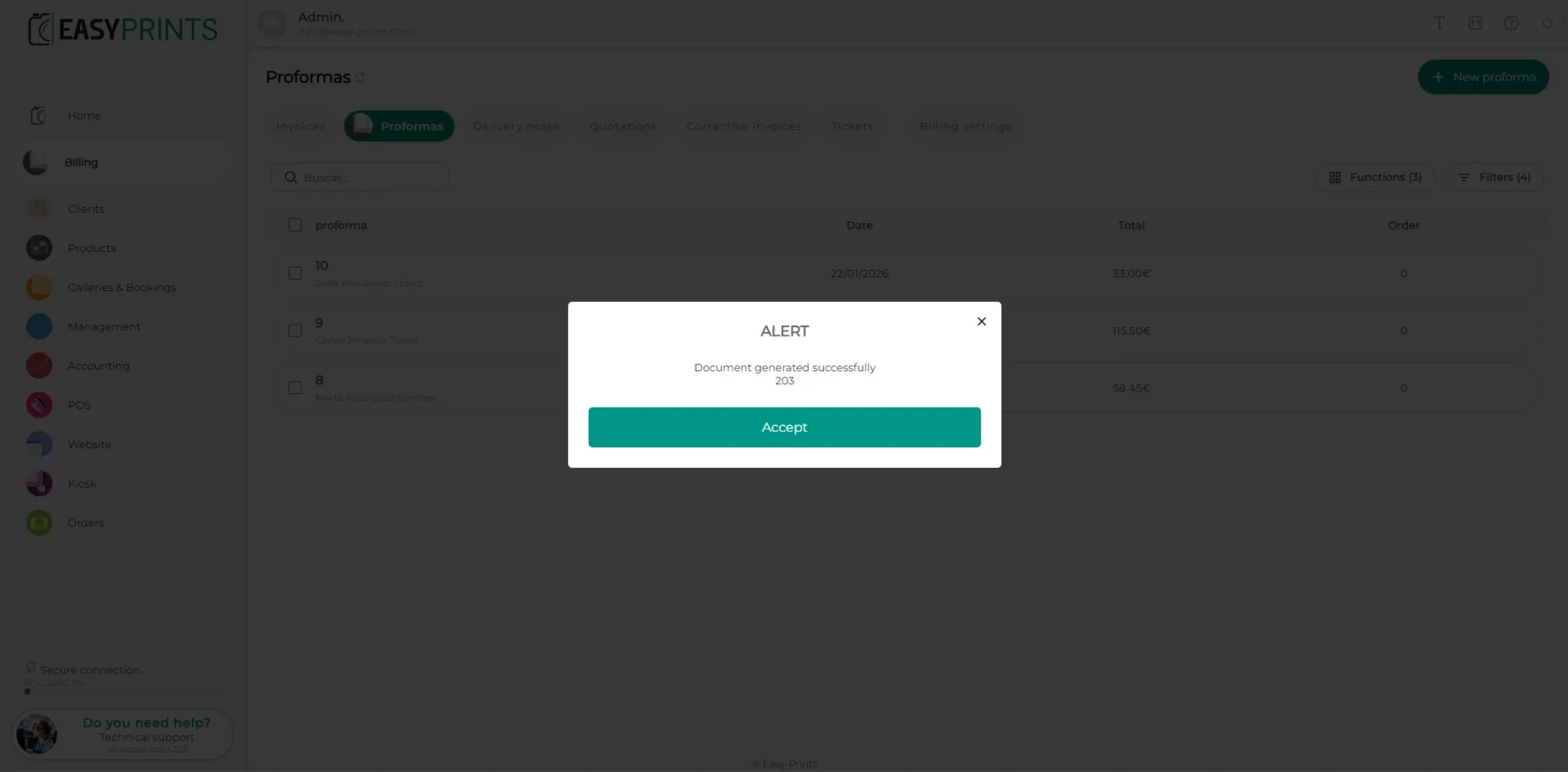
When you click on Generate invoice, the window that was open will automatically close and an informational message will appear indicating that the invoice has been created successfully.
Step 4
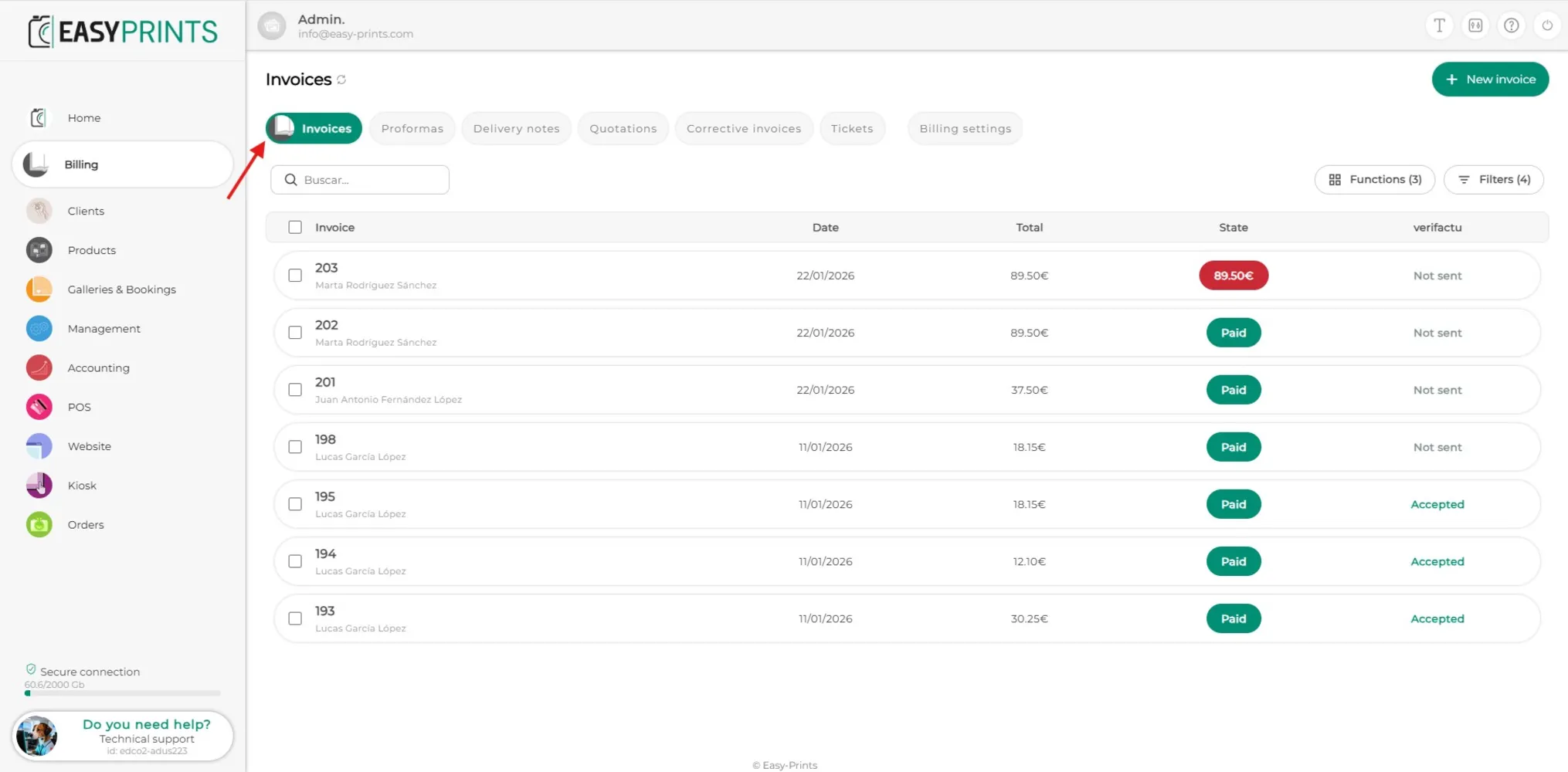
In the Invoices section, the new invoice that has just been created from the proforma will be displayed. To view it again, you must click on it.
Step 5
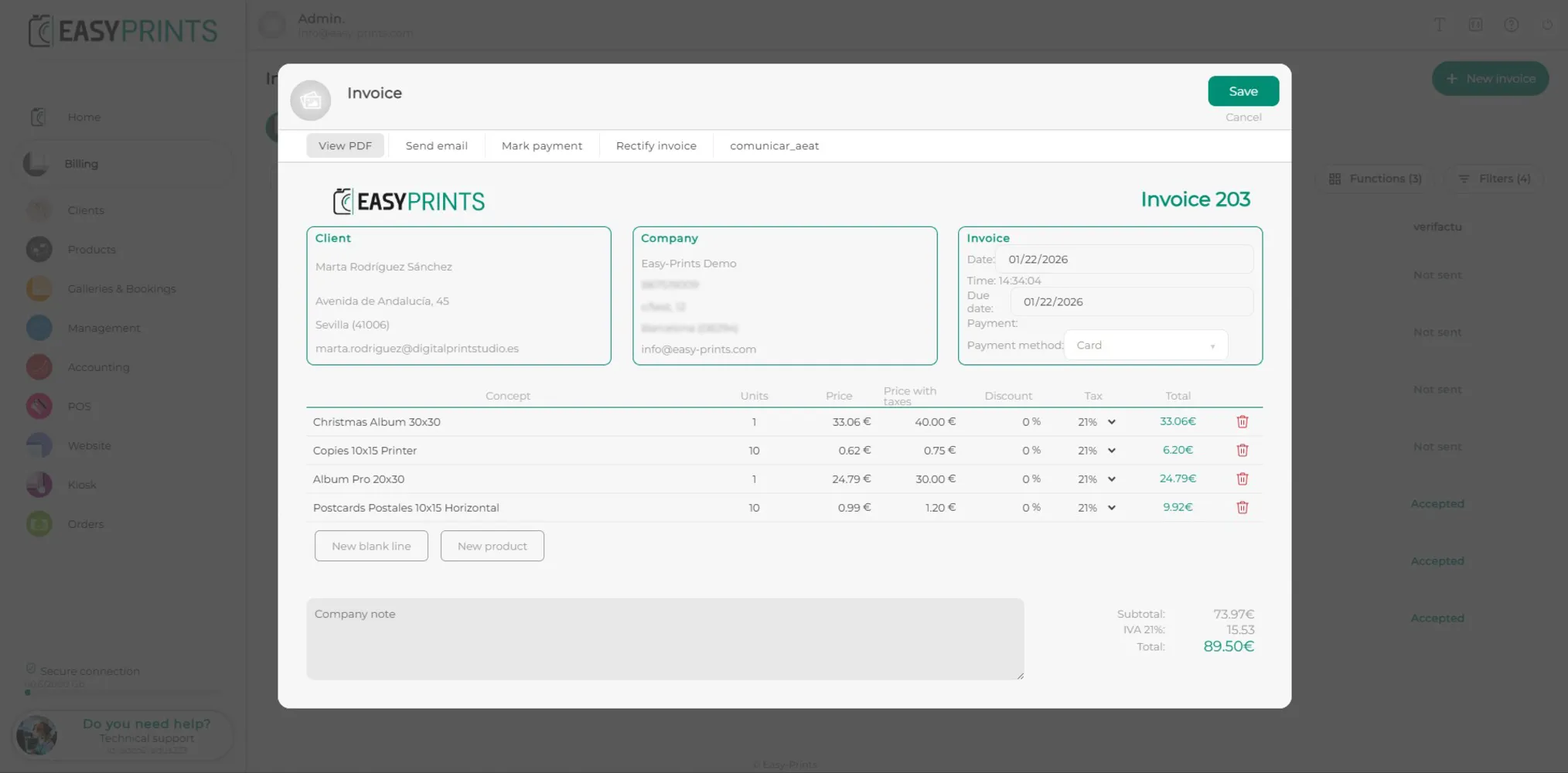
When the generated invoice is opened, you will find several options at the top, such as sending the PDF, sending the email, marking the invoice as paid, correcting the invoice, and reporting it to the AEAT.
Go back to the Help Center or contact Easy-Prints.
← Back to Help Center